One of the practical limitations of a locally hosted LLM is that it has no access to current information — its knowledge is frozen at training time. This article extends the setup from my previous article by adding real-time web search to the Pi Coding Agent via the Model Context Protocol (MCP). The search backend is SearXNG, a privacy-respecting open-source metasearch engine that runs locally in Docker.
Note: This guide is not limited to local LLMs — it works equally well with hosted models from providers such as OpenAI, Anthropic, and others.
Overview
The diagram below illustrates how the individual components fit together.
┌────────────────────────────────────────────────────┐
│                  Pi Coding Agent                   │
└──────────┬──────────────────────────────┬──────────┘
           │                              │
           │  OpenAI-compatible API       │  Model Context Protocol (MCP)
           ▼                              ▼
┌─────────────────────┐        ┌─────────────────────┐
│     llama.cpp       │        │       SearXNG       │
│   (llama-server)    │        │  (Docker container) │
└──────────┬──────────┘        └──────────┬──────────┘
           │                              │
           │  loads & runs                │  web search
           ▼                              ▼
┌─────────────────────┐        ┌─────────────────────┐
│     LLM Model       │        │  Internet Search    │
│  (GGUF on disk)     │        │      Engines        │
└─────────────────────┘        └─────────────────────┘
The Pi Coding Agent sits at the top and communicates over two independent channels. On the left, it sends prompts to llama-server via the OpenAI-compatible API, which loads and runs the selected GGUF model from disk. On the right, it delegates web search requests to SearXNG via the Model Context Protocol — SearXNG then queries multiple internet search engines and returns aggregated results. The two channels operate independently, allowing the LLM to reason over live search results without any direct internet access itself.
Running a Local SearXNG Server
SearXNG is a free, open-source internet metasearch engine that aggregates results from a wide range of search services and databases. While public SearXNG instances are available, I chose to run a local server for greater control and privacy.
Refer to the official documentation for a comprehensive installation guide. For these experiments, I used a minimal Docker Compose setup, which is outlined below.
Create a searxng-compose.yml file with the following content:
services:
  searxng:
    container_name: searxng
    image: docker.io/searxng/searxng:latest
    restart: unless-stopped
    ports:
      - 8080:8080
    volumes:
      - ./searxng:/etc/searxng:rw,U
      - searxng-data:/var/cache/searxng:rw,U
    environment:
      - SEARXNG_BASE_URL=http://127.0.0.1:8080/
      - SEARXNG_PORT=8080

volumes:
  searxng-data:
Start the container with docker compose -f searxng-compose.yml up and wait for it to finish initializing. Verify the setup by navigating to http://127.0.0.1:8080/ and running a test search query.
Note: You may see error messages during startup related to engine configurations. These can generally be ignored — they indicate that certain built-in engines require additional configuration or API keys that have not been provided.
Once you have confirmed the service is running, stop the container using <CTRL>-C or docker compose -f searxng-compose.yml down.
Important: The initial container startup generates a configuration file at
./searxng/settings.yml. Open this file and locate thesearch:section. Within it, find theformats:entry and addjsonto the list. This is required so that the MCP Server can retrieve search results in JSON format, which is far easier to process programmatically. The rest of the configuration can remain unchanged.
search:

  # formats: [html, csv, json, rss]
  formats:
    - html
    - json # <- This line needs to be added
You can now start the container in the background with docker compose -f searxng-compose.yml up -d.
Adding MCP Support to Pi
To connect the Pi coding agent to MCP (Model Context Protocol) servers, install the official token-efficient adapter, which proxies tool calls to preserve your context window.
pi install npm:pi-mcp-adapter
Adding the SearXNG MCP Server
The SearXNG MCP server integrates the SearXNG API, giving AI assistants access to real-time web search capabilities.
pi install npm:mcp-searxng
Next, configure the Pi MCP Adapter with the details of your SearXNG instance. If you are using a remote SearXNG server instead of a local one, replace the SEARXNG_URL value accordingly.
Create or edit the configuration file at ~/.pi/agent/mcp.json:
{
  "settings": {
    "toolPrefix": "mcp",
    "idleTimeout": 10
  },
  "mcpServers": {
    "searxng": {
      "command": "mcp-searxng",
      "env": {
        "SEARXNG_URL": "http://127.0.0.1:8080/"
      },
      "directTools": [
        "searxng_web_search",
        "web_url_read",
        "get_usage_guide"
      ]
    }
  }
}
Testing the Setup
Launch pi and verify that the pi-mcp-adapter extension is loaded and that the MCP server is connected:
[Extensions]
  pi-mcp-adapter, pi-observability:observability.ts


 MCP: 1 servers connected (4 tools)
Pi now exposes a /mcp command that displays all connected MCP servers. From this screen, you can also enable or disable individual tools provided by each server.
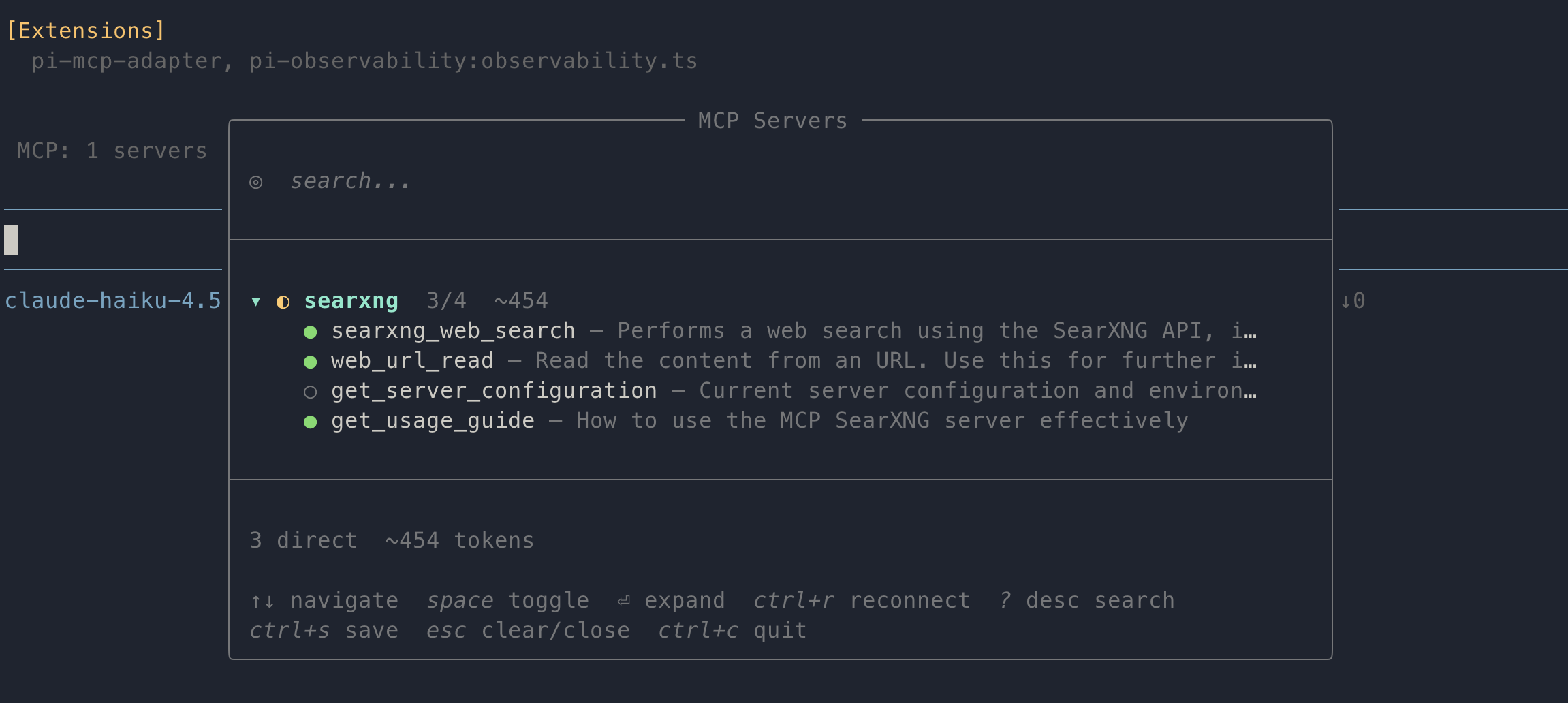
To test the integration, run the following prompt:
Search the web and give me the top 10 news headlines for today.
You should receive a list of the day’s top headlines. During execution, Pi will display tool invocation messages similar to the following:
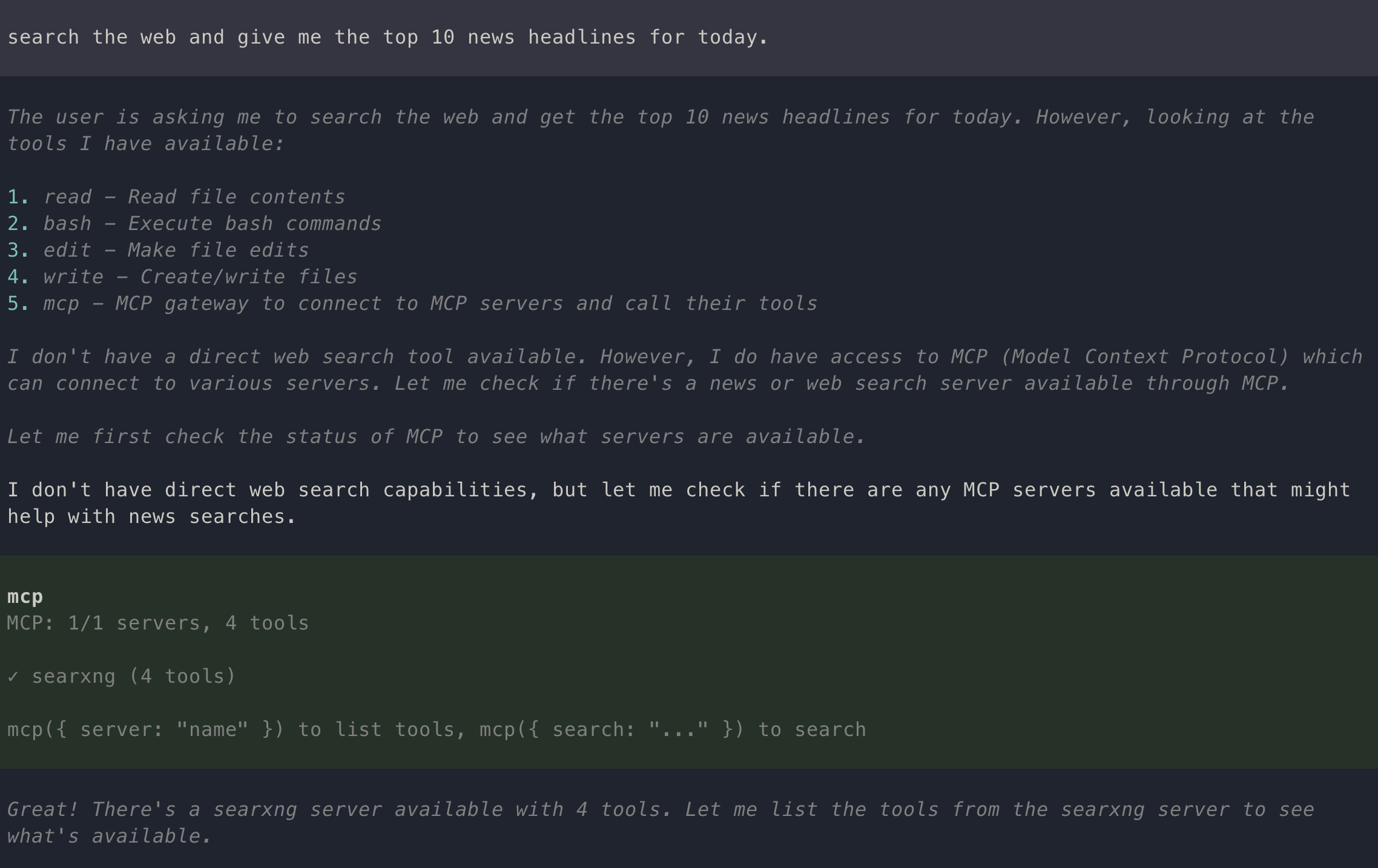
Conclusion
With SearXNG running in Docker and the pi-mcp-adapter and mcp-searxng extensions installed, the Pi Coding Agent gains real-time access to web search results while keeping all other traffic local. The MCP protocol handles the bridge cleanly, and the token-efficient adapter ensures that search results do not unnecessarily consume the model’s context window.
This setup pairs particularly well with the local LLM configuration described in the previous article — the LLM handles reasoning and code generation entirely on-device, while SearXNG fills the one gap that offline models cannot address: current information.
A few directions worth exploring from here:
- Additional MCP servers — the
mcp.jsonconfiguration supports multiple servers simultaneously; tools such as file system access, database queries, or custom APIs can be added alongside SearXNG. - Remote SearXNG — if you run SearXNG on a home server or NAS, the same setup works by changing a single URL in
mcp.json. - Hosted LLMs — as noted in the introduction, this setup is model-agnostic; swapping
llama-serverfor an OpenAI or Anthropic endpoint requires no changes to the MCP configuration.