This article documents my experiments with the Pi Coding Agent and locally hosted Large Language Models (LLMs) served via llama.cpp on a MacBook. The following steps describe the setup process from start to finish.
Overview
The diagram below illustrates how the individual components fit together.
┌─────────────────────┐
│    Pi Coding Agent  │
└──────────┬──────────┘
           │ OpenAI-compatible API
           ▼
┌─────────────────────┐
│     llama.cpp       │
│   (llama-server)    │
└──────────┬──────────┘
           │ loads & runs
           ▼
┌─────────────────────┐
│     LLM Model       │
│  (GGUF on disk)     │
└─────────────────────┘
The Pi Coding Agent serves as the command-line interface for the developer. It communicates with llama-server, which exposes an OpenAI-compatible REST API and handles all model lifecycle management. The LLM itself is stored on disk as a GGUF file and is loaded into RAM by llama-server on demand. The setup follows a bottom-up approach: we first download the model files, then configure and start llama-server, and finally install and configure the Pi Coding Agent on top.
Dense and Mixture-of-Experts (MoE) Models
When choosing a model to run locally, understanding the underlying architecture helps you make the right trade-off between quality, speed, and memory consumption.
Dense Models
A dense model is the “classic” transformer architecture. Every single parameter in the network is activated for every token that is processed. Well-known examples include Llama 3, Mistral 7B, and Phi-4.
Strengths
- Simple, well-understood architecture that works reliably across many tasks.
- Predictable and consistent memory usage — the full parameter count is always resident in RAM/VRAM.
- Generally better quality per active parameter than a comparably sized MoE model.
Weaknesses
- Memory requirements scale linearly with the total parameter count. A 70B dense model needs roughly 40 GB of RAM at 4-bit quantization — making it impractical on consumer hardware.
- Inference is slower than MoE at the same total parameter count because every layer computes over all parameters.
Mixture-of-Experts (MoE) Models
An MoE model splits the feed-forward layers of the transformer into multiple parallel “expert” sub-networks. A lightweight router decides, for each token, which small subset of experts (typically 1–2) to activate. Only those experts perform computation; the rest sit idle. Well-known examples include Google Gemma 4, Mistral Mixtral, and Qwen 3.
Strengths
- Total parameters ≫ active parameters. A model with 26B total parameters may activate only ~4B per token, giving inference speed comparable to a 4B dense model while retaining the knowledge capacity of a 26B model.
- Faster tokens-per-second than a dense model of the same total size.
- Scales to very large capacity without proportionally increasing compute cost.
Weaknesses
- All expert weights must still be loaded into RAM/VRAM upfront — so a 26B MoE model still requires roughly 16 GB of memory, even though only a fraction of those weights are used per token.
- Expert routing can occasionally produce inconsistent or lower-quality outputs compared to a dense model with the same active parameter count.
- Slightly more complex to quantize and deploy; not all inference frameworks support MoE equally well.
RAM / VRAM Consumption at a Glance
The table below compares representative models. Active params refers to the parameters actually engaged per token during inference. The selected GGUF’s use Unsloth Dynamic 2.0 quantization.
| Model | Architecture | Total Params | Active Params | Quantization | ~RAM | ~Tokens/s* |
|---|---|---|---|---|---|---|
| Qwen 3.6 27B | Dense | 27B | 27B | UD-Q4_K_XL | ~17 GB | ~30 |
| Qwen 3.6 35B (A3B) | MoE | 35B | ~3B | UD-Q4_K_M | ~20 GB | ~50 |
| Gemma 4 26B (A4B) | MoE | 26B | ~4B | UD-Q5_K_M | ~18 GB | ~40 |
* Approximate throughput on Apple Silicon M4 Max 48 GB; your results will vary.
Key takeaway: MoE models give you access to a much larger knowledge base at a fraction of the memory cost of an equivalent dense model, but you still need enough RAM to hold all expert weights. For a MacBook with 48 GB unified memory, models like Gemma 4 26B (A4B) and Qwen 3.6 35B (A3B) represent the sweet spot.
llama.cpp and llama-server Setup
llama.cpp is an open-source project that enables you to run Large Language Models locally on your own hardware, without relying on any cloud service.
1. Install llama.cpp
The following command installs llama.cpp via Homebrew, including several command-line utilities such as llama-cli and llama-server.
brew install llama.cpp
2. Download LLM Models and Configure llama-server
Create the directory structure shown below. Download the LLM model files (see the links in the model table above) and place them in the models directory.
ai-llama-server/
├── models/
│   ├── gemma-4-26B-A4B-it-UD-Q5_K_M.gguf
│   └── Qwen3.6-27B-UD-Q4_K_XL.gguf
│   └── Qwen3.6-35B-A3B-UD-Q4_K_M.gguf
├── presets.ini
└── start.sh
llama-server is configured via a presets file that lists the available models along with per-model inference parameters. The [*] section applies globally to all models. Create presets.ini with the following content:
[*]
sleep-idle-seconds = 300  ; unload model after 5 minutes of inactivity to free RAM
jinja = true              ; enable Jinja2 chat template engine (required for thinking models)

[Gemma-4-26B-A4B]
model = ./models/gemma-4-26B-A4B-it-UD-Q5_K_M.gguf
temp = 1.0          ; sampling temperature — higher = more creative, lower = more deterministic
top-p = 0.95        ; nucleus sampling — consider tokens covering 95% of probability mass
top-k = 64          ; limit next token selection to the top 64 candidates
reasoning = on      ; enable extended thinking / chain-of-thought (Gemma 4 supports this)

[Qwen3.6-27B]
model = ./models/Qwen3.6-27B-UD-Q4_K_XL.gguf
temp = 1.0          ; sampling temperature
top-p = 0.95        ; nucleus sampling threshold
top-k = 20          ; stricter top-k for the dense model (fewer candidates)
presence-penalty = 1.5  ; penalise tokens that have already appeared — reduces repetition
min-p = 0.00        ; minimum token probability filter (disabled)

[Qwen3.6-35B-A3B]
model = ./models/Qwen3.6-35B-A3B-UD-Q4_K_M.gguf
temp = 1.0          ; sampling temperature
top-p = 0.95        ; nucleus sampling threshold
top-k = 20          ; stricter top-k for the MoE model
presence-penalty = 1.5  ; penalise tokens that have already appeared — reduces repetition
min-p = 0.00        ; minimum token probability filter (disabled)
To avoid having to type the full llama-server command each time, create a start.sh wrapper script. Make it executable with chmod +x start.sh:
#!/bin/bash
set -e
llama-server --models-preset presets.ini
4. Test the Installation
From inside the ai-llama-server directory, start the server by running ./start.sh or executing llama-server --models-preset presets.ini directly.
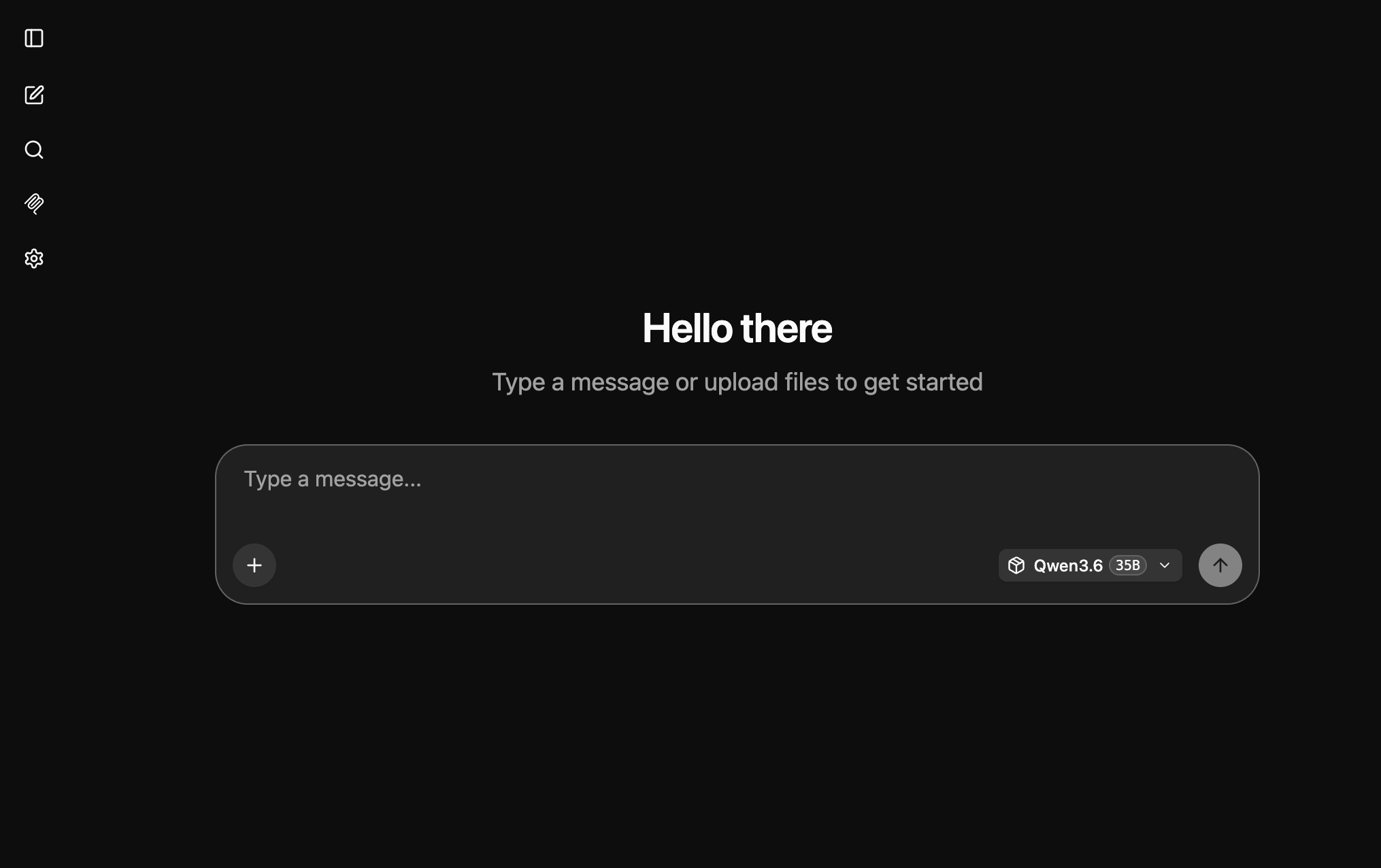
The server will begin listening on http://127.0.0.1:8080. Open that URL in your browser to interact with the configured models and verify that everything is working correctly.
Pi Coding Agent: Installation and Configuration
The Pi Coding Agent (commonly referred to simply as Pi) is a minimalist, open-source AI developer tool that runs directly in your terminal. It automates software development tasks by interacting with your files and project environment.
1. Install nvm and Node.js LTS
nvm (Node Version Manager) is a utility for installing and managing multiple versions of Node.js on a single machine. Since different projects often depend on specific Node.js versions, nvm allows you to switch between them instantly without manually reinstalling software.
curl -o- https://raw.githubusercontent.com/nvm-sh/nvm/v0.40.4/install.sh | bash
Once the Node Version Manager is installed, install the latest Node.js LTS release:
nvm install --lts
After installation, you may need to restart your terminal session for the newly installed tools to become available. If you encounter any issues, refer to the official troubleshooting guide.
2. Install and Configure the Pi Coding Agent
npm install -g @mariozechner/pi-coding-agent
Next, create a configuration file that registers the models we installed and are serving via llama.cpp.
Contents of ~/.pi/agent/models.json:
{
  "providers": {
    "llamacpp": {
      "baseUrl": "http://127.0.0.1:8080/v1",
      "apiKey": "noop",
      "api": "openai-completions",
      "models": [
        {
          "id": "Gemma-4-26B-A4B",
          "contextWindow": 32000,
          "maxTokens": 8192
        },
        {
          "id": "Qwen3.6-27B",
          "contextWindow": 32000,
          "maxTokens": 8192
        },
        {
          "id": "Qwen3.6-35B-A3B",
          "contextWindow": 32000,
          "maxTokens": 8192
        }
      ]
    }
  }
}
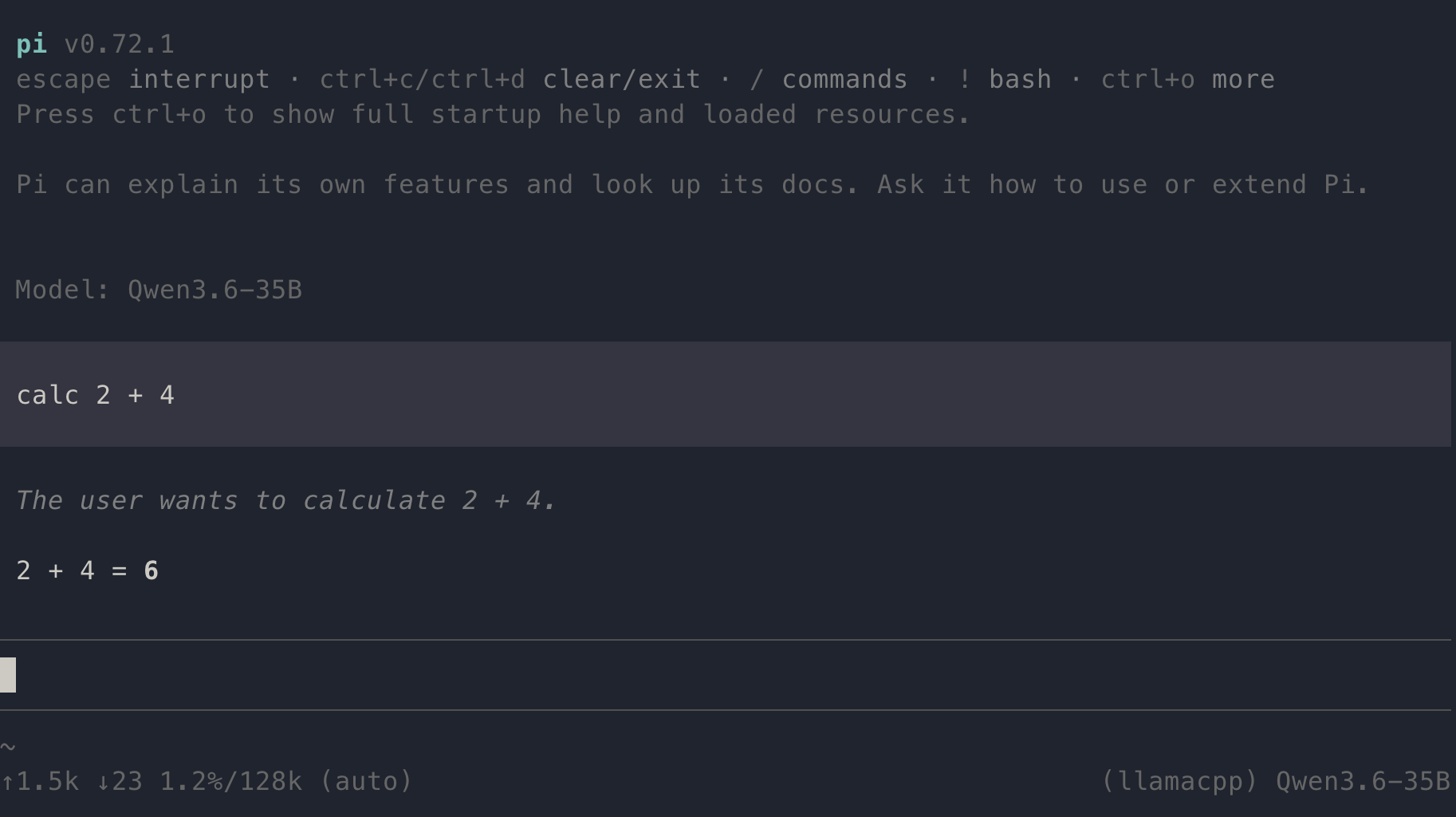
Launch pi and run the /model command to display the list of configured models. Select one of the available models and verify it is functioning correctly by entering a simple prompt such as calc 2 + 2 — the agent should respond with the correct result.
💡 Note: As one might expect, llama-server must be running before launching pi. 😊
Pi Coding Agent: Observability Extension
To gain deeper insight into how a local LLM performs, the pi-observability extension is a valuable addition. It replaces the default footer with a live observability bar, exposes a full dashboard command, and prints a tokens-per-second (TPS) summary after each agent run.
For further details, refer to the official pi-observability documentation.
Install the extension via the pi package manager:
pi install npm:pi-observability
Conclusion
With llama-server running locally and the Pi Coding Agent connected to it, you now have a fully private, cloud-free AI coding assistant operating entirely on your own hardware. All three models — Gemma 4 26B, Qwen 3.6 27B, and Qwen 3.6 35B — are capable of handling real-world coding tasks, and the sleep-idle-seconds setting ensures they release RAM automatically when not in use.
In practice, the MoE models (Gemma 4 and Qwen 3.6 35B) offer the best balance of speed and output quality on a 48 GB MacBook. The dense Qwen 3.6 27B is slightly slower but tends to produce more consistent results on tasks that require sustained reasoning across a long context.
A few areas worth exploring next:
- Larger context windows — all three models support up to 128k tokens; increase
contextWindowinmodels.jsonif your codebase is large. - Additional models — the
presets.iniapproach makes it straightforward to add new models without restarting the server. - Tool integrations — Pi supports custom tools and extensions beyond
pi-observability; the Pi Coding Agent documentation is a good starting point.
Running capable LLMs locally is no longer reserved for data centres. With the right hardware and a bit of configuration, a MacBook Pro M4 is a surprisingly effective platform for private, latency-free AI-assisted development.